


Lightweight by design
Get connected without downloading the entire blockchain. Less waiting, more time for what matters.
A simple, open-source Electrum wallet for Vertcoin.
Send, receive, and stay in control of your keys — without downloading the whole blockchain.
Electrum Vertcoin is the community’s own desktop wallet for VTC. It takes the Electrum client — the long-standing, open-source wallet protocol — and adapts it to the Vertcoin network, its servers and its addresses, so you can hold and send Vertcoin with nothing else to install.
It is built and published in the open by the Vertcoin community: MIT-licensed Python, every file listed before you install it, nothing hidden in the middle.
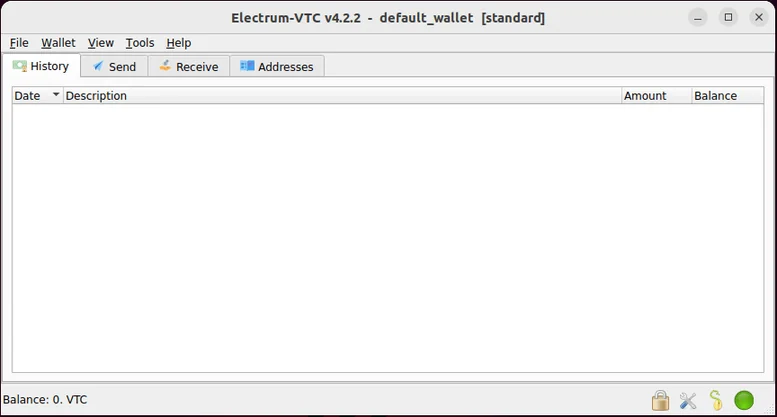
A focused wallet experience, built around the essentials of holding and using your VTC.
Get connected without downloading the entire blockchain. Less waiting, more time for what matters.

Your private keys stay in your wallet. Protect your wallet file with a password and keep your recovery seed safe.

The wallet is MIT-licensed Python. Read how it works, check what it does with your keys, and take part in the Vertcoin community.
A plain summary of what Electrum Vertcoin stores, what it verifies and what it asks of you.
 Electrum VertcoinDesktop · SPVv3.3.2
Electrum Vertcoin is quick because it does not re-check every block on its own: it verifies transactions against block headers and takes its view of the chain from an Electrum server, then checks the answers it receives locally instead of trusting them blindly. The server is relied on for availability, not for your coins — the wallet file and the recovery seed stay on your machine, and nothing else can move your funds.
Choose your desktop platform and the file starts downloading straight away. Check the file name shown below before you open it.
Installer for Windows 10 and 11. Works on most modern PCs.
Files are served directly by this site — the official v3.3.2 release.
Check the file name before you install.
Electrum Vertcoin is a lightweight desktop wallet for sending and receiving VTC. It uses simplified payment verification, so you do not need to download the full blockchain.
No. The wallet connects to Electrum servers to check transactions without storing the entire Vertcoin blockchain on your computer. You are ready to use it in a couple of minutes instead of waiting for a sync.
Only from the Download page of this site. Check the file name before you open it, and never install a wallet handed to you by someone in a chat or a direct message.
No. There is no official Android or iOS app for this wallet — it is desktop software for Windows, macOS and Linux. Treat any phone app using this name as unofficial.
Yes. Enter your twelve-word recovery seed on the new machine and the wallet rebuilds your addresses and history, so you do not need to move any file. Copying the wallet file itself also works.
If you still have the recovery seed, create a new wallet from it and choose a new password. If the seed and the password are both gone, the funds cannot be brought back by anyone — there is no support desk that can reset a wallet.
Most of the time this is a server that has not caught up. Pick another server in the network settings, let the wallet resync, and check your transaction id on a block explorer. A payment that shows as unconfirmed simply needs more time.
Keep your recovery seed and private keys offline, never share them, and use a strong wallet password. Read the safety notes in the documentation before use; two-factor authentication is not supported in this client.
Free, open source and built by the Vertcoin community.